
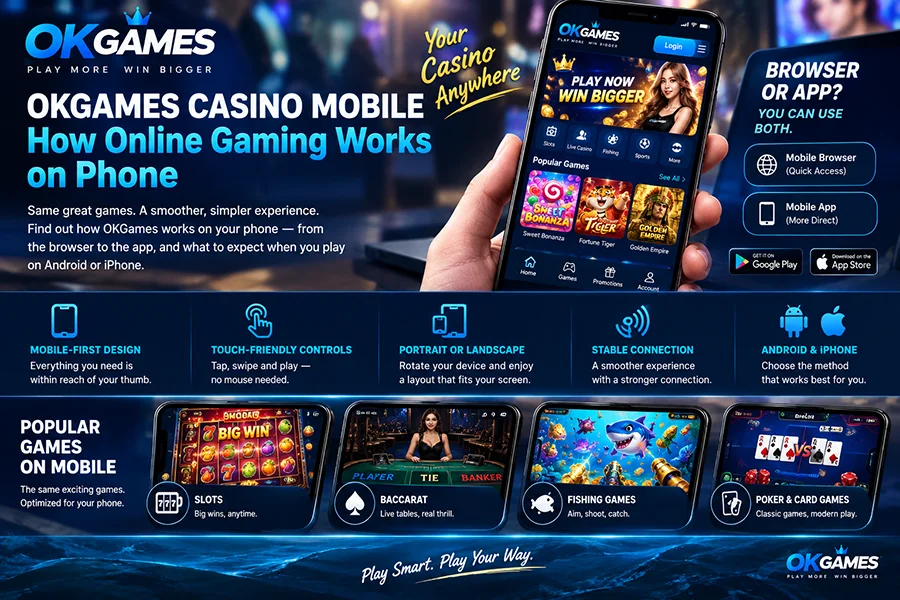
Your phone is probably the easiest way to open OKGames.
No desktop setup. No big monitor. No complicated controls.
Open the platform, sign in, choose a game and the experience adjusts to the smaller screen.
But what actually changes when you move from a computer to OKGames Casino Mobile?
Quite a lot.
Your Phone Becomes the Casino Lobby
On mobile, we design the experience around one thing:
everything important should stay within reach of your thumb.
Instead of spreading menus across a wide desktop screen, mobile gaming keeps the main actions compact.
You can move between available categories such as:
- Slots
- Baccarat
- Fishing games
- Poker and card games
- Other available casino entertainment
Tap a game and it opens directly on the supported mobile screen.
The game itself then adapts to the size and orientation of your device.
Mobile Games Are Built Around Touch
The biggest difference is obvious:
you are not using a mouse.
Everything happens through taps and swipes.
On a slot, the Spin button becomes a large touch control.
On Baccarat, Player, Banker and Tie can be displayed as touch-friendly betting areas.
In Fishing games, aiming and cannon controls are adapted to the smaller display.
The idea is simple:
less clicking, more direct control.
You see it.
You touch it.
The game responds.
Browser or App? You Can Use Both
There are two main ways to access OKGames on a phone.
Mobile Browser
Open OKGames using a supported browser on your Android phone or iPhone.
There is nothing extra to install.
This is useful when you want quick access without adding another app to your device.
Mobile App
For users who regularly return to OKGames, the supported mobile app provides a more dedicated experience.
Once installed, OKGames can sit directly on your home screen.
Tap the icon and open the platform without searching for the website again.
For us, neither option has to replace the other.
Browser for quick access.
App for a more direct mobile experience.
What Happens When You Open a Game?
When you select a supported mobile game, the game interface loads inside the available screen space.
Menus become smaller.
Controls move closer together.
Large desktop panels may collapse into icons or compact menus.
The important parts of the game stay visible.
Take Baccarat as an example.
On mobile, the table does not need to fill a huge monitor. The main betting areas, cards and results are arranged so they can still be read comfortably on a phone.
The same idea applies to our Fishing content.
The underwater game area remains the focus, while cannon controls are positioned for touch interaction.
Slots are even more natural on mobile because most of the action centres around the reels and a few large controls.
Portrait or Landscape?
Different games can feel better in different orientations.
Some casino interfaces work comfortably in portrait mode, especially when they are designed around vertical controls.
Other games—particularly wider live tables or Fishing games—may be more enjoyable in landscape mode because the extra horizontal space gives the game more room.
Your phone does the heavy lifting.
Rotate the device, and supported games can adjust their layout.
Mobile Does Not Mean a Smaller Game
A smaller screen does not necessarily mean a stripped-down experience.
The goal is to reorganise the same important gameplay elements so they work on a phone.
That can include:
Touch controls
Main actions are sized for fingers rather than a mouse pointer.
Responsive layout
The interface adjusts to different supported screen sizes.
Compact menus
Less-used options can stay out of the way until you need them.
Full-screen play
Supported games can use most of the available display instead of leaving large browser areas around the action.
That is what makes modern casino gaming feel natural on mobile instead of simply looking like a desktop page squeezed onto a phone.
Connection Matters More on Mobile
Mobile gaming also depends on something players sometimes overlook:
your connection.
Slots and simpler games may feel fine on an average connection.
Live casino games, animated Fishing titles and feature-heavy games can need a more stable connection to keep video, animation and controls running smoothly.
If the connection suddenly becomes weak, you may notice:
- Slower loading
- Delayed animations
- Temporary reconnecting
- Video quality changes
- Less responsive controls
A stable Wi-Fi or mobile-data connection usually gives the smoother experience.
Android and iPhone Feel Slightly Different
The main OKGames experience can be similar on both platforms, but Android and iPhone handle apps differently.
Android users may have the option to install an APK from a supported source.
iPhone users follow the supported iOS access method or use the mobile browser.
Once you are inside the game, however, the important part is the same:
a mobile interface designed around your screen and touch controls.
Why We Focus So Much on Mobile
For many players, the phone is no longer the backup device.
It is the main screen.
You carry it everywhere.
You already use it for payments, entertainment, messaging and video.
Online gaming fits naturally into that same environment.
That is why our mobile experience is designed to make the path simple:
Open → Sign In → Choose a Game → Play
No desktop required.
No complicated setup.
Just the OKGames experience adapted to the screen already in your hand.
The Bottom Line
OKGames Casino Mobile is not simply the desktop site made smaller.
The interface changes around the way people actually use a phone.
Buttons become touch-friendly.
Game screens resize.
Menus become more compact.
Baccarat tables, slots and Fishing games adapt to smaller displays.
And you can choose between browser access and a supported mobile app depending on how you prefer to open OKGames.
Your phone is already your entertainment screen.
We simply make the games fit it.