
Cashing out from OKGames is straightforward, but withdrawal options, limits, fees, and verification requirements can change. Always follow the current Withdrawal or Cashier page in your account. A method available for deposit is not automatically available for withdrawal.
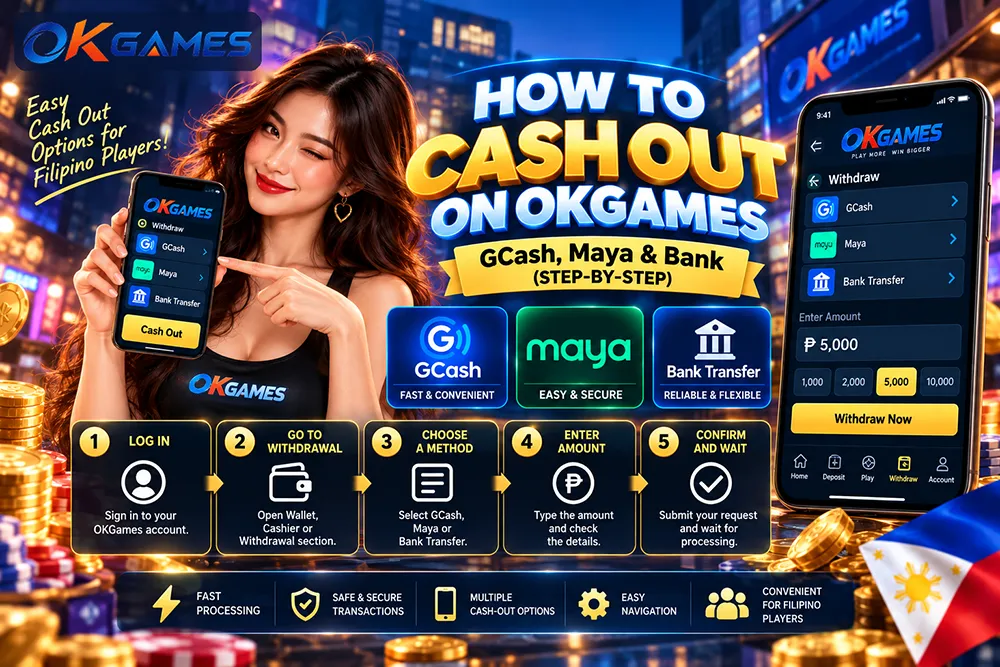
Quick Steps to Cash Out
- Log in to your OKGames account and complete any required verification.
- Open Wallet, Cashier, or Withdrawal.
- Choose an available method: GCash, Maya / PayMaya, or local bank transfer.
- Enter the amount and check the minimum, maximum, and fees shown.
- Confirm your payment details carefully.
- Submit and monitor the status: Pending or Completed.
GCash vs Maya vs Bank Transfer
| Method | Best For | What to Check |
|---|---|---|
| GCash | Users who commonly use GCash | Correct GCash mobile number; usually faster than bank transfer |
| Maya / PayMaya | Users already active on Maya | Correct Maya account details; availability may vary |
| Bank Transfer | Users who want funds sent directly to a bank | Bank name, account name, and account number; may take several business days |
Common Philippine banks may include BDO, BPI, UnionBank, and Metrobank, but confirm the actual banks shown in your Cashier.
Before You Cash Out
Check these four things first:
- Account verification – complete any required verification.
- Bonus conditions – if you have an active bonus, check its wagering or turnover rules.
- Name matching – use payment details that belong to you and match your OKGames account.
- Withdrawal limits – stay within the minimum and maximum shown for your selected method.
If Something Goes Wrong
| Status / Issue | What It Usually Means | What to Do |
|---|---|---|
| Pending | The request is being reviewed or processed | Wait within the displayed timeframe; do not submit duplicate requests |
| Rejected | Wrong details, incomplete verification, over-limit amount, unfinished bonus conditions, or unavailable method | Fix the issue and submit again if allowed |
| Completed but no funds | OKGames has processed it, but the wallet or bank has not posted it yet | Check your GCash/Maya history or bank account; allow bank processing time |
FAQ
Can I withdraw to GCash, Maya, or a bank?
Only if the method appears in your current Withdrawal page. Deposit availability does not guarantee withdrawal availability.
Do I need verification before cashing out?
Verification may be required before some withdrawals are completed.
Can I withdraw bonus money immediately?
Not always. Check the specific bonus terms for wagering, turnover, or withdrawal conditions.
Are there withdrawal fees?
Fees depend on the selected method and provider. Check both the OKGames withdrawal screen and your wallet or bank.
Bottom Line
To cash out on OKGames:
Log in → Open Withdrawal → Choose GCash, Maya, or Bank Transfer → Enter amount → Check details → Confirm.
Use the method currently available and correctly linked to your account. Do not rush the account details before pressing Confirm. One correct request is better than fixing one sent to the wrong wallet or bank account.
Payment methods, limits, verification requirements, fees, and processing times can change. Always follow the information shown in your current OKGames Cashier or Withdrawal screen.
Online gaming is for eligible adults only. Gaming involves financial risk. Play responsibly.