
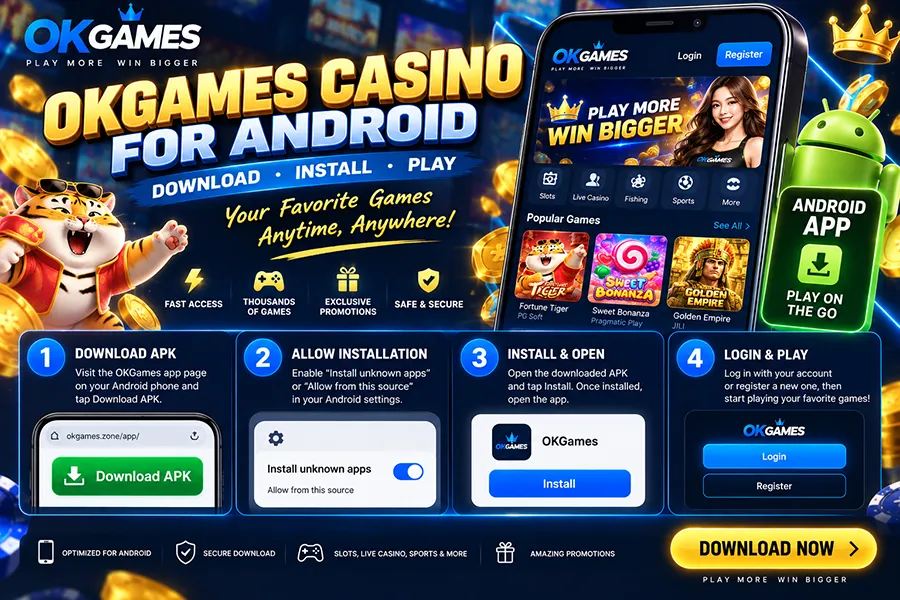
Want to play OKGames Casino on Android without opening your browser every time?
The Android app gives you a faster way to access your account, browse games and check current promotions directly from your phone.
OKGames.zone currently provides an Android APK download option designed for compatible Android smartphones and tablets.
The whole process is straightforward.
Download OKGames Casino on Android
Step 1 — Open the Android Download Page
Open the OKGames App page on your Android phone.
Look for the Download APK or Download for Android button.
Because Android APK files can be installed outside the Google Play Store, make sure you are downloading the file from the intended page rather than an APK copied to an unknown third-party website.
Step 2 — Download the APK
Tap Download APK.
Your browser may show a warning because APK files are installation packages.
Allow the download and wait until the file has completely finished downloading.
Step 3 — Allow APK Installation
Android may block the installation the first time.
Depending on your phone, you may see an option such as:
Install unknown apps
or
Allow from this source
Allow installation for the browser or file manager you used to download the APK.
Android menu names can vary between Samsung, Xiaomi, OPPO, vivo, realme and other devices.
Step 4 — Install and Open OKGames
Open the downloaded APK and tap:
Install
Once installation is complete, launch the app from your Android home screen.
That’s it — the OKGames mobile interface is ready to open.
Already Have an OKGames Account?
Just log in using your existing account details.
The current OKGames login flow supports access through the website or mobile app, with additional verification possible when accessing an account from a new device.
Open App → Login → Enter Account Details → Verify if Required
No need to create another account just because you switched to Android.
New to OKGames?
New players can register first and then use the same account inside the Android app.
Once logged in, the mobile interface gives access to the available sections of the platform, including games, promotions and account features. OKGames.zone currently highlights game categories and titles including Mines, Joy Bingo, Tongits Go, Super Ace Scratch, Baccarat and Fishing.
Available titles can change, so the live game lobby is the best place to see what is currently playable.
Why Use OKGames on Android?
The main advantage is convenience.
Instead of searching for the website every time, the app sits directly on your phone.
📱 Faster Access
Tap the app icon and go straight to the mobile platform.
🎮 Mobile-Friendly Games
The interface is designed around touch controls and smaller Android screens.
🎁 Promotions in One Place
Check current bonuses, rewards and promotional activities from the mobile interface.
🔐 Account Access
Login, account tools and available platform features can be accessed through the same mobile environment.
Can’t Install the OKGames APK?
Most Android installation problems come down to a few simple things:
APK won’t install?
Check that your download completed successfully and that your phone has enough free storage.
Installation blocked?
Enable Allow from this source for the browser or file manager you used.
App won’t open?
Check whether your Android version is compatible and try downloading a fresh APK.
Don’t want to install an APK?
You can still use the mobile browser version. OKGames.zone currently lists browser access as an alternative that does not require installation.
One Important Android APK Check
Before installing any casino APK, look at where the file came from.
Avoid modified APKs sent through random messages, social-media comments or unfamiliar download sites.
PAGCOR also recommends verifying online gaming destinations before playing or making payments and provides its PAGCOR Guarantee service for checking recognised platforms.
For the app itself, also check the requested Android permissions. A casino app should not need unusual access unrelated to its normal functions.
OKGames Android FAQ
Is OKGames available on Android?
Yes. OKGames.zone currently provides an Android APK download option for compatible smartphones and tablets.
Do I need Google Play to install OKGames?
The current Android option is provided as an APK file, so installation can be completed directly on a compatible Android device.
Can I use my existing OKGames account?
Yes. Existing users can normally sign in using their current account details.
Can I play without downloading the app?
Yes. A mobile-browser version is also available, so installing the APK is not required.
Can I install the Android APK on an iPhone?
No. APK files are for Android devices. iPhone and iPad users need an iOS-compatible option or mobile-browser access.
Final Word
Getting OKGames Casino on Android only takes a few steps:
Download the APK → Allow Installation → Install → Login → Open the Games
The biggest advantage is simple: once installed, OKGames is available directly from your Android home screen without repeatedly searching through a browser.
For Android users who regularly access the platform, that makes the app the more convenient option.
Download it from the intended source, check the permissions, log in and explore the current game lobby.
Game and promotion availability can change. Gaming involves financial risk and should be treated as entertainment.