
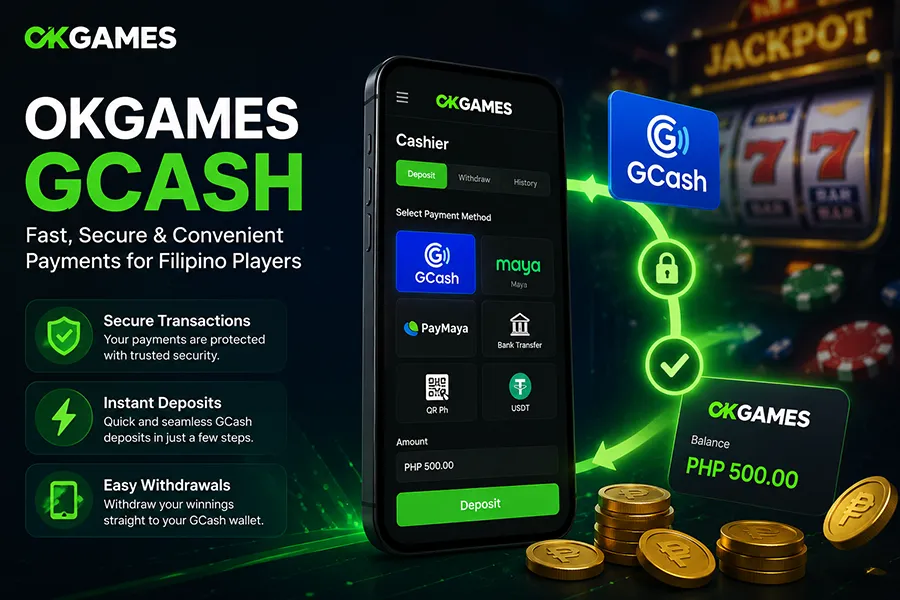
For Filipino players, GCash is one of the most familiar ways to move money online. When a casino supports it, the appeal is straightforward: players can use an e-wallet they already know instead of entering card details or arranging a bank transfer.
When using GCash with OKGames, however, the important part is not simply whether the payment option appears in the cashier. Players should understand the complete transaction process, including deposit limits, account details, processing status, withdrawal requirements, and what to check when a payment does not arrive as expected.
This guide explains those practical points without assuming that every account receives exactly the same payment options or limits.
How OKGames GCash Payments Work
GCash acts as the payment channel between your e-wallet balance and the casino account.
For a deposit, the basic flow is usually:
- Sign in to your OKGames account.
- Open the Deposit or Cashier section.
- Check whether GCash is currently available.
- Enter the amount you want to deposit.
- Follow the displayed GCash payment instructions.
- Complete the transaction through the required payment flow.
- Return to your account and check whether the balance has been credited.
The exact interface can change, so the instructions shown inside the current cashier should take priority over screenshots or older tutorials.
What to Check Before Making a GCash Deposit
Do not focus only on the deposit button. Check the transaction details before sending money.
The first item is the minimum and maximum amount. Payment limits can vary by platform, payment channel, account, or current cashier configuration. Use the amount displayed for your transaction rather than assuming an old limit still applies.
You should also confirm that the account and payment information shown during the transaction is correct. If the cashier generates specific payment instructions, follow that transaction’s details rather than reusing information from a previous deposit.
Finally, check whether the deposit is connected to a promotion. A normal cash deposit and a bonus-qualified deposit can have different conditions.
How Long Does a GCash Deposit Take?
E-wallet deposits are commonly designed for relatively fast processing, but a transaction should not be described as guaranteed instant unless the current OKGames payment information confirms that.
There are several possible states:
Pending means the transaction has been submitted but has not yet been fully processed.
Successful means the payment has been accepted and should normally be reflected in the appropriate account balance.
Failed or declined means the transaction did not complete successfully.
If money leaves your GCash wallet but does not appear in your casino balance, avoid immediately repeating the same payment. First check the transaction status and save the relevant reference information.
Using GCash for OKGames Withdrawals
Deposits and withdrawals should be treated as separate processes. The availability of GCash for depositing does not automatically prove that it is available for every withdrawal.
Before requesting a withdrawal, check the options currently displayed in the Withdrawal or Cashier section of your account.
Where GCash is available, the process generally involves selecting the payment method, entering the requested amount, confirming the destination details, and submitting the request for processing.
The platform may also require account or identity verification before certain withdrawals can be completed. Players should follow the requirements actually displayed on their account rather than relying on assumptions about a universal verification process.
Deposit Limits and Withdrawal Limits
There is no useful reason to invent a single OKGames GCash limit when the current cashier can provide the applicable figure.
Before confirming a transaction, check:
- Minimum deposit
- Maximum deposit
- Minimum withdrawal
- Maximum withdrawal
- Any payment-channel limits
- Any account-specific restrictions
GCash itself may also apply wallet or transaction limits. This means a casino may accept an amount that cannot be completed from a particular GCash account because of restrictions on the wallet side.
The amount shown during the actual transaction is therefore more useful than a static number copied from an older guide.
Are There GCash Fees?
Check both sides of the transaction.
OKGames may display whether a charge applies to the selected payment method, while GCash may have its own applicable fees depending on the transaction being performed.
A payment guide should not automatically claim that every GCash transaction is free. Review the amount being sent, the amount expected to arrive, and any fee notice before confirming.
GCash Deposits and Casino Bonuses
This is where players need to distinguish payment mechanics from promotional rules.
Depositing through GCash does not necessarily mean that a deposit automatically qualifies for every bonus. A promotion can have separate requirements covering eligible deposits, minimum qualifying amounts, valid games, wagering or turnover, bonus validity, and withdrawal conditions.
For example, suppose a promotion requires a qualifying deposit and a wagering target. Completing the GCash payment would satisfy only the payment step. The player would still need to meet the promotion’s other conditions before any restricted promotional balance could become withdrawable.
That is why the promotion terms should be checked before depositing specifically to claim an offer.
What If an OKGames GCash Deposit Is Missing?
A missing deposit does not always mean the money has been lost.
Start by checking the transaction status in GCash. Confirm whether it was completed, pending, reversed, or unsuccessful.
Then check the OKGames account balance and available transaction history. Allow for any processing period shown by the platform.
If the payment is marked successful on the wallet side but remains missing from the casino account, keep the transaction reference, amount, date, and time. These details are more useful when resolving a payment issue than simply reporting that a deposit is missing.
Avoid making repeated identical deposits while the first transaction is still unresolved.
Common GCash Payment Mistakes
One common mistake is sending another payment immediately after the first one appears delayed. This can create duplicate deposits if the original transaction later completes.
Another is using outdated payment information instead of following the current cashier instructions.
Players can also confuse a successful deposit with successful bonus activation. These are separate events. Money reaching the account does not automatically prove that promotional requirements have been satisfied.
For withdrawals, incorrect destination information can create additional problems. Details should be reviewed before submitting the request.
GCash vs Other OKGames Payment Methods
GCash can be convenient for players who already use the wallet regularly, but convenience should not be the only consideration.
Compare the methods available to your account based on:
- Minimum and maximum transaction amounts
- Processing time
- Applicable fees
- Deposit and withdrawal availability
- Verification requirements
- Reliability for the transaction you need to make
A player making a small deposit may value convenience, while someone preparing a larger withdrawal may care more about limits and processing requirements.
The best method therefore depends on the transaction rather than simply which payment logo is most familiar.
Practical GCash Checklist
Before depositing:
Confirm GCash is currently displayed in the cashier, check the transaction limits, verify the payment details, and read any promotion conditions that matter to the deposit.
After depositing:
Check both your GCash transaction status and OKGames balance before attempting another payment.
Before withdrawing:
Confirm that GCash is available for withdrawal, review the destination details, check the applicable limits, and complete any account requirements shown by the platform.
If something goes wrong:
Keep the transaction reference and relevant payment details before seeking assistance.
Frequently Asked Questions
Can I deposit to OKGames using GCash?
If GCash is currently listed as an available deposit method in your OKGames cashier, you can follow the payment instructions shown there. Payment availability can change, so the current account interface is the best reference.
Can I withdraw from OKGames to GCash?
Check the withdrawal methods available to your account. GCash being available for deposits does not automatically mean it is available for every withdrawal.
Why is my GCash deposit still pending?
A transaction can remain pending while the payment is being processed or reconciled. Check the wallet transaction status and your casino transaction history before attempting another deposit.
What should I do if GCash was charged but my balance was not updated?
Keep the transaction reference, amount, date, and time. Confirm the payment status first, then use those details when resolving the transaction through the appropriate account support channel.
Does a GCash deposit automatically qualify for an OKGames bonus?
Not necessarily. Bonus eligibility can depend on the specific promotion, qualifying deposit requirements, wagering or turnover conditions, eligible games, and withdrawal rules. Check the applicable promotion terms before depositing for an offer.
Final Takeaway
GCash can make casino payments more convenient for Filipino players, but a good payment process is about more than sending money from one account to another.
Before using GCash with OKGames, verify the current payment option, transaction limits, destination details, processing status, and any promotion or withdrawal requirements that apply. For information that can change over time, the details displayed in the current cashier should take priority over static instructions from older articles.