
Use your registered mobile number or account login details and password to access OKGames.
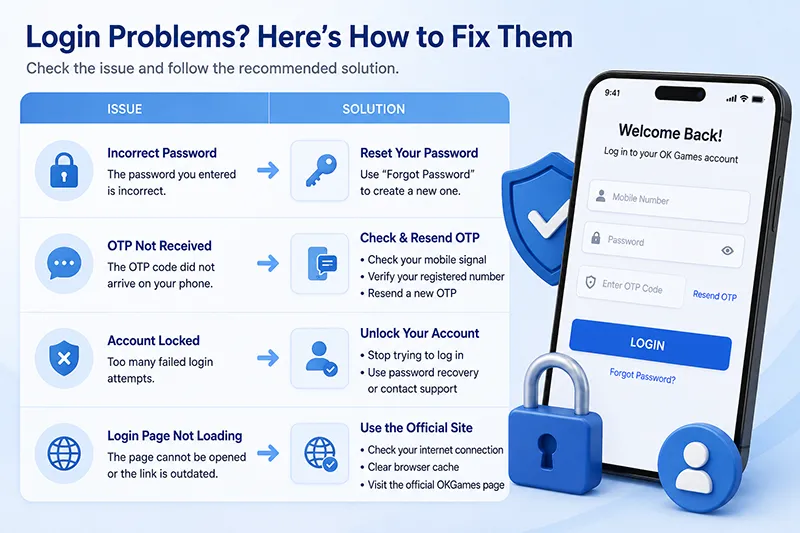
If the login fails, the problem is usually one of four things:
| Login Problem | What to Check |
|---|---|
| Incorrect password | Reset the password instead of repeatedly guessing |
| OTP not received | Check the registered number and request a new code |
| Account temporarily locked | Stop repeated login attempts and use account recovery/support |
| Login page not opening | Confirm you are using the current OKGames access page |
OK Games Login
For an existing account:
- Open the OKGames login page.
- Enter the mobile number or account information registered to your account.
- Enter your password.
- Complete OTP or security verification if requested.
- Select Login.
Your login information should match the details used when the account was registered.
If your browser has saved an old password, remove the autofilled value and enter the current password manually before assuming the account has a problem.
Forgot Your OKGames Password?
Use Forgot Password from the login screen.
Password recovery uses the contact information connected to your account, such as your registered mobile number or email where applicable.
Complete the verification step and create a new password.
OKGames account terms also state that when a password is forgotten or lost, Customer Service can assist with establishing new security information after account authentication.
If the registered mobile number is still active, self-service recovery is normally the fastest route.
Do not keep trying different passwords after you already know the correct one has been forgotten.
OTP Not Received
An OTP may be required when logging in, resetting a password or completing an account-security check.
If the code does not arrive:
- Check the mobile number
Make sure the number shown is the one registered to the account.
- Check your mobile signal
SMS verification requires the registered SIM to be able to receive messages.
- Wait before requesting another code
Do not repeatedly press Send OTP within a few seconds.
- Use the newest OTP
If several codes eventually arrive, use the latest valid code rather than an earlier request.
- Request a new code if the previous one expires
OTP codes are time-sensitive and an older code may no longer work.
Repeatedly requesting verification codes in a short period can result in temporary restrictions.
Incorrect Password
If OKGames shows an incorrect-password message, first check:
- Uppercase and lowercase letters
- Numbers and symbols
- Extra spaces
- Browser autofill
- Whether you recently changed the password
After several failed attempts, use Forgot Password rather than continuing to guess.
A successful password reset should be followed by a new login using the updated password—not the password still stored in your browser.
Account Temporarily Locked
Multiple unsuccessful login attempts can trigger a temporary security lock.
If the account is already locked, continuing to enter passwords can make recovery more difficult.
Use password recovery if the password is the problem.
If you know the password is correct but the account remains locked or suspended, contact OKGames account support and complete the required identity/account verification.
Your password should not be sent to another person during this process. OKGames’ terms require account holders to keep account credentials private.
Changed Phone or SIM?
You can still use the same OKGames account on a new device.
The important issue is whether you still have access to the registered mobile number when SMS verification is required.
If you changed phones but kept the same SIM/number:
Log in normally and complete the verification code if requested.
If you no longer have access to the registered number:
Do not create another account simply to bypass verification.
Account information may need to be updated after ownership verification through support.
Login Works on the Website but Not the App
First confirm that the login credentials are exactly the same.
Then check:
- App version
- Internet connection
- Saved password
- Cached app session
- Whether an update is available
Close and reopen the app before resetting an account that still works normally through the website.
If the web login succeeds, the account itself is usually still accessible; the problem may be limited to the app session or version.
Login Page Won’t Open
If a saved login bookmark stops working, return through the current OKGames/OKBet access route rather than repeatedly loading an old URL.
Check the actual address before entering:
- Password
- OTP
- Personal details
Similar-looking login pages can copy logos and colours. The URL matters more than the design.
Quick Login Check
Before contacting support, check these four items:
Password correct?
If not, reset it.
OTP arriving?
If not, check the registered number and SMS reception.
Account locked?
Stop repeated attempts and recover the account.
Page not loading?
Use the current login entry instead of an old bookmark.
For most OK Games login problems, identifying which of these four is failing is enough to determine the next step.